

Workshop
Buckets and datasets
What a bucket item holds, how long it lasts, how review and Save work, and how to freeze and download a dataset version.
A bucket is a named collection that workflows read from and write to. A dataset version is a frozen, immutable manifest of a bucket’s reviewed images, with labels, provenance and a train/validation/test split, that you download with an API key to train a model.
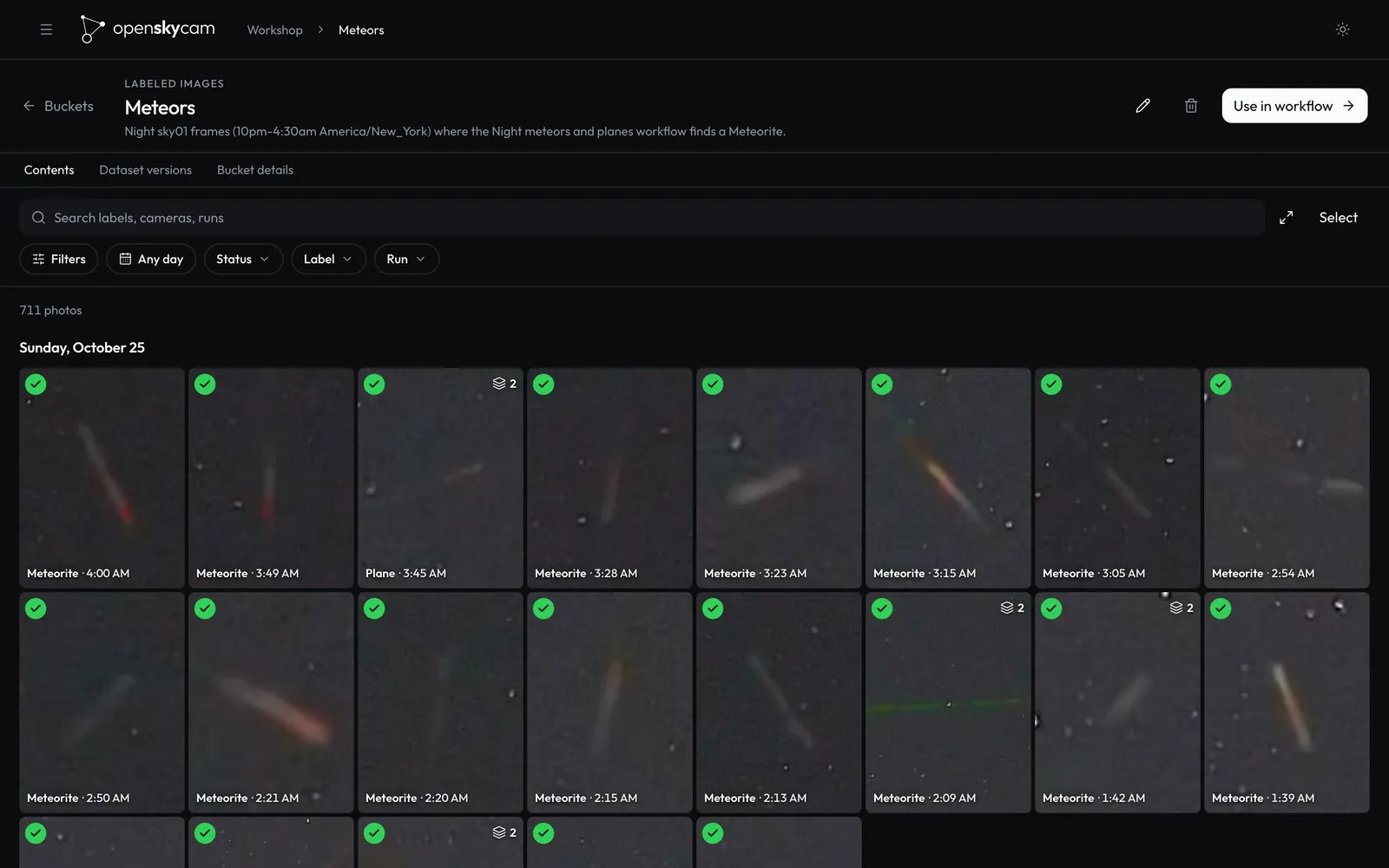
Raw and labeled buckets
| Kind | Buckets | Holds |
|---|---|---|
raw |
Only camera-archive, built in and protected |
Your cameras’ recordings. It can be a workflow input, never an output. |
labeled |
Any you create | Frames that reached an output step, with their labels. A labeled bucket can be an output of several workflows and the input of others. |
Buckets are part of the Workshop document (Workflows). Creating a workflow in the editor also creates its output bucket. Several buckets can list the same image without copying its bytes: canonical JPEGs are stored once in R2 and referenced.
Items
A bucket item is one frame in one bucket.
| Field | Meaning |
|---|---|
id |
SHA-256 of the run, bucket, asset and labels. |
asset_id |
SHA-256 of the source recording’s checksum, the frame’s presentation time and the JPEG recipe. The same frame from the same recording has the same asset in every run and bucket. |
cam, captured_at |
Camera, and the recording’s start plus the frame’s offset (UTC). |
sha256 |
Checksum of the JPEG (quality 92, full frame size). |
source_sha256 |
Checksum of the source recording. |
annotation_json |
The labels, below. |
provenance_json |
Where the image came from, below. |
review |
pending, accepted or rejected. |
expires_at |
When the item and its image stop being readable. |
Labels
Each annotation is one prediction of the final model on the frame’s path:
| Field | Meaning |
|---|---|
class_id, class_name |
The model’s class |
confidence |
0–1 |
box |
Detection only: [left, top, right, bottom] as fractions of the frame. Classifier labels have no box. |
model_node |
The model step that produced it |
track_id |
Detection in a video run: the object this box belongs to across its recording (Tracking and trajectories) |
edited |
true when a reviewer changed the class or the box |
Provenance
| Field | Meaning |
|---|---|
source |
The recording’s catalog row (camera, start, size, SHA-256, codec, duration), or, for a labeled-bucket input, the source item’s own provenance |
pts, time_base, width, height, bytes, recipe |
The frame’s presentation time, size and encoding (jpeg-v1) |
annotation_model |
The final labeling model: family, version, classes, task, node_id |
model_versions |
Every model the run pinned, with artifact SHA-256, score and input size |
runtime_id, code_sha256 |
The processor runtime and its code fingerprint |
tracks |
Video runs: the track records of this frame’s boxes |
saved_at, source_expires_at, retention_scope |
Added by Save |
Every frame can therefore be traced to the exact recording bytes, frame time, model weights and processor code that produced it.
Expiry and Save
An item lives as long as its source: the recording’s start plus 40 days. Reviewing an item, adding it to another bucket or putting it in a dataset version does not extend that.
Save (POST /api/workshop/items/{id}/save) keeps an item past its source. The server copies the JPEG to retained/ in R2 and checks the copy’s size and checksum. It then keeps the item, labels and provenance with no expiry, in one atomic update. The original recording keeps its own schedule; Save never keeps video. Saving twice is harmless, and there is no unsave: deleting the bucket removes saved items.
A cleanup every 15 minutes removes expired items, previews and dataset versions, and deletes up to 500 orphaned or expired images per pass. Image bytes that any live item, preview or queued job still references are never deleted.
Review
PUT /api/workshop/items/{id}/review
{"review": "accepted"}
{"review": "rejected"}
{"review": "pending"}
{"review": "accepted", "annotations": [{"class_name": "Plane", "confidence": 0.91, "box": [0.41, 0.22, 0.43, 0.24]}]}
review records the decision. annotations, when present, replaces the labels:
- at most 100 labels, each one of the labeling model’s classes;
- detection labels need a box of four fractions with left < right and top < bottom;
- each label needs a confidence from 0 to 1.
The server sets edited on labels that differ from every model prediction in class or box.
Clients cannot set track_id. An edited box keeps the track_id of the model box it came from: the box with exactly the same coordinates, otherwise the tracked box it overlaps most, with an intersection over union above 0.5. A relabelled or slightly moved box is still the same object, so its trajectory survives review.
The website reviews whole sightings at a time (see Runs); each photo’s decision is this same request.
Browsing a bucket
GET /api/workshop/buckets/{id}/browse pages through a bucket, newest capture first. Filters run on the server before paging.
| Parameter | Meaning |
|---|---|
run, camera, review |
Exact matches; review is pending, accepted or rejected |
class, min_confidence, max_confidence |
At least one label of that class (any class when omitted) with a confidence in the range (0–1) |
saved=true |
Only saved items |
q |
Case-insensitive text found in the camera, run name, run ID or a label’s class, up to 200 characters |
from, to |
Capture time, from inclusive, to exclusive |
min_objects, max_objects |
Labels per image, 0–100 |
sort |
newest or oldest |
limit |
1–200, default 120 |
cursor |
The previous page’s cursor |
The answer has items (each with image_url), total, facets (the bucket’s runs, cameras and classes, for filter menus), and cursor, which is null on the last page. The cursor carries a snapshot time, so items added while you page do not repeat; items that expire meanwhile can drop out.
Other reads:
| Endpoint | Returns |
|---|---|
GET /api/workshop/buckets/{id} |
Up to 500 items with has_more, the accepted count and the bucket’s dataset versions |
GET /api/workshop/items/{id} |
One item with its recording, run and class list |
GET /api/workshop/items/{id}/image |
The full JPEG |
GET /api/workshop/items/{id}/thumbnail?size=256|512&mode=frame|object |
A small JPEG, made once by the footage store and kept in R2 until the item expires; object crops to the most confident box |
The same paths work under /v1 with an Agent key that covers every camera, and image_url then points under /v1 too (Workshop API).
Deleting a bucket
GET /api/workshop/buckets/{id}/deletion previews what goes: item, label and version counts, and the workflows that use the bucket. DELETE /api/workshop/buckets/{id} with {"revision": n} then removes the bucket’s items, saved items and dataset versions, clears the bucket from workflow steps that used it, and cancels unfinished runs that read or write it. All of this happens in one revision-checked transaction. The camera archive cannot be deleted, and images another bucket still lists stay.
Dataset versions
A dataset version freezes the reviewed images of one bucket.
POST /api/workshop/buckets/{bucket}/versions
{"id": "planes-2026-10-25", "name": "Planes, October 25", "include_rejected": false}
What goes in:
- Every accepted item that has not expired. With
include_rejected: true, rejected items too; each keeps the labels the reviewer said no to andreview: "rejected", so you can train on negatives. - One item per
asset_id: when the same frame is in the bucket more than once, accepted wins, then the newest capture. - At least one item, and items of one task only. Keep detection and classification outputs in separate buckets.
How the manifest is built:
class_namesis the sorted union of the labeling models’ class names. Each annotation’sclass_idis renumbered to its index there, and the model’s own ID is kept inmodel_class_id.- Each item’s
splitcomes from a hash of its camera and UTC capture day, modulo 100: under 80 istrain, under 90 isvalidation, the resttest. A whole camera-day stays in one split, so near-identical neighbouring frames never land on both sides; a small version can have only one split.
The request is idempotent: the same id with the same bucket and name returns the existing version, and a different bucket or name is 409. If an item changes review or expires while the version is written, nothing is written and the answer is 409; try again.
A version cannot be changed afterwards (database triggers refuse updates). It lasts as long as its shortest-lived item: once any item expires, the version answers 404 and the next cleanup deletes it. A version records each item’s expiry at freeze time, so after you Save items, create a new version to get one that does not expire.
The manifest
GET /v1/workshop/versions/{id} returns the version with its manifest:
{
  "id": "planes-2026-10-25", "bucket_id": "planes", "name": "Planes, October 25",
  "sha256": "…", "created_at": "…", "available": true,
  "manifest": {
    "schema_version": 1,
    "bucket_id": "planes",
    "class_names": ["Bird", "Meteor", "Plane"],
    "split_policy": "camera + UTC capture day; SHA-256 modulo 100; 80/10/10. …",
    "created_at": "…",
    "items": [{
      "item_id": "…", "cam": "sky01", "media_path": "/v1/workshop/items/…/image",
      "asset_id": "…", "sha256": "…", "source_sha256": "…",
      "captured_at": "2026-10-25T03:12:41.250Z", "expires_at": "…",
      "review": "accepted", "split": "train",
      "annotations": [{ "class_id": 2, "model_class_id": 1, "class_name": "Plane", "confidence": 0.91, "box": [0.41, 0.22, 0.43, 0.24], "model_node": "detect", "track_id": "…:3" }],
      "provenance": { "…": "…" }
    }]
  }
}
sha256 is the checksum of the canonical manifest, so two downloads of a version can be compared. The website’s bucket page has the same download.
Download with a key
Reading a version needs a footage:read or Agent key whose cameras include every camera in the version; each image needs a key for its camera. Create one under API access on the website (API overview). This downloads a version, checks every image, and writes YOLO label files:
import hashlib, json, os
from pathlib import Path
import requests

API = "https://<api-host>"
VERSION = "planes-2026-10-25"
headers = {"Authorization": "Bearer " + os.environ["SKYVISION_API_KEY"]}

version = requests.get(f"{API}/v1/workshop/versions/{VERSION}", headers=headers, timeout=60)
version.raise_for_status()
manifest = version.json()["manifest"]
root = Path(VERSION)
root.mkdir(exist_ok=True)
(root / "manifest.json").write_text(json.dumps(manifest, indent=2))

for item in manifest["items"]:
    assert item["media_path"].startswith("/v1/workshop/items/")
    split = root / item["split"]
    (split / "images").mkdir(parents=True, exist_ok=True)
    (split / "labels").mkdir(parents=True, exist_ok=True)
    image = split / "images" / f"{item['sha256']}.jpg"
    if not image.exists() or hashlib.sha256(image.read_bytes()).hexdigest() != item["sha256"]:
        response = requests.get(API + item["media_path"], headers=headers, timeout=60, allow_redirects=False)
        response.raise_for_status()
        assert hashlib.sha256(response.content).hexdigest() == item["sha256"]
        image.write_bytes(response.content)
    # YOLO: class, centre x, centre y, width, height, as fractions. A rejected item's labels were judged wrong,
    # so it is written as an image with no objects.
    lines = [] if item["review"] == "rejected" else [
        f"{a['class_id']} {(a['box'][0] + a['box'][2]) / 2:.6f} {(a['box'][1] + a['box'][3]) / 2:.6f} "
        f"{a['box'][2] - a['box'][0]:.6f} {a['box'][3] - a['box'][1]:.6f}"
        for a in item["annotations"] if "box" in a
    ]
    (split / "labels" / f"{item['sha256']}.txt").write_text("\n".join(lines))

(root / "data.yaml").write_text(
    "path: .\ntrain: train/images\nval: validation/images\ntest: test/images\n"
    f"names: {json.dumps(manifest['class_names'])}\n"
)
Images are named by checksum, so an interrupted download resumes where it stopped and a re-run fetches nothing it already has. Read the manifest’s tracks (in each item’s provenance) and track_id on boxes if you train on motion as well as appearance.